Aging at a Glance
Six cards. Complete picture.
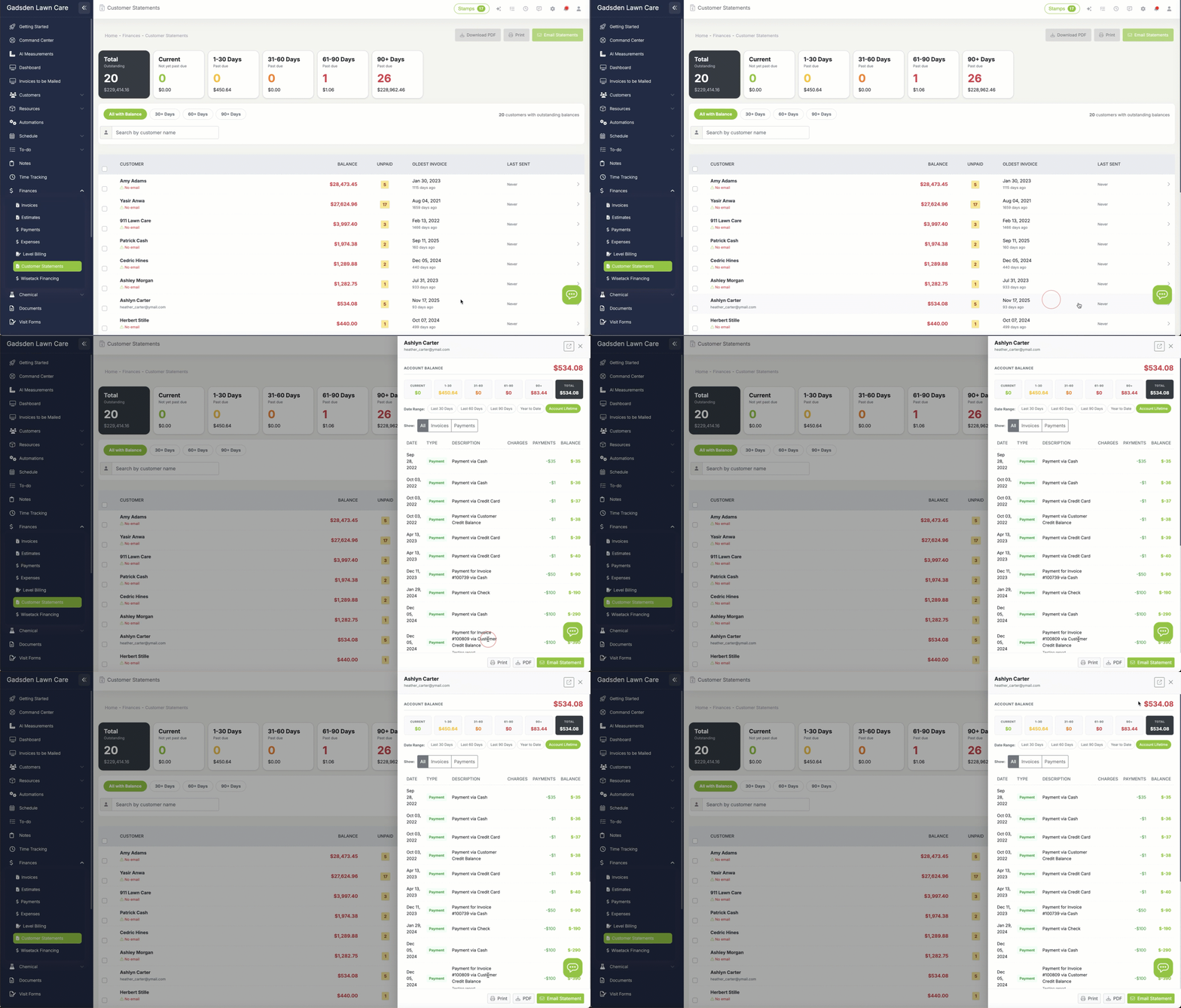
The moment you open Customer Statements, six aging cards show you exactly where your receivables stand. Each one displays the number of customers in that aging bucket and the total dollar amount. The dark "Total" card on the left anchors everything—total customers with a balance and total outstanding.
Below the cards, aging filter chips let you narrow the list instantly. Click 30+ Days to see only customers who are past due. Click 90+ Days to focus on the accounts that need the most attention. The customer count updates in real-time as you filter.
Customer Detail
Full transaction history in one click
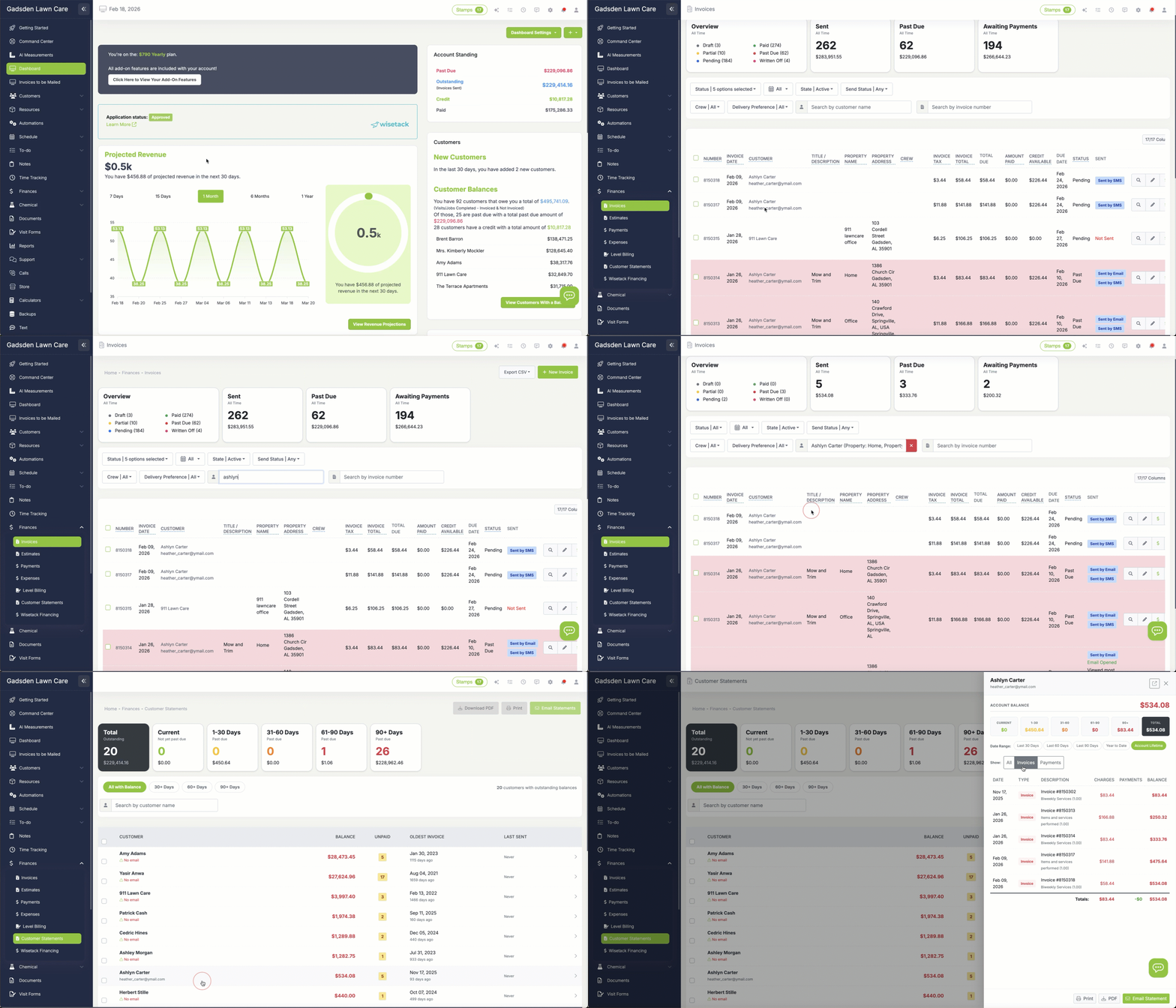
Click any customer row and a detail panel slides in from the right. At the top: their total account balance and a compact aging breakdown. Below that: the full transaction ledger.
Every invoice, payment, and credit is listed with a running balance so you can trace exactly how the amount got to where it is. Use the date range presets (Last 30 Days, Last 60 Days, Year to Date, Account Lifetime) to zoom in on a specific period. Use the transaction type filter to show only invoices or only payments.
From the panel you can Print, download a PDF, or Email the statement directly—without leaving the page.
Batch Send
Email 50 statements in 10 seconds
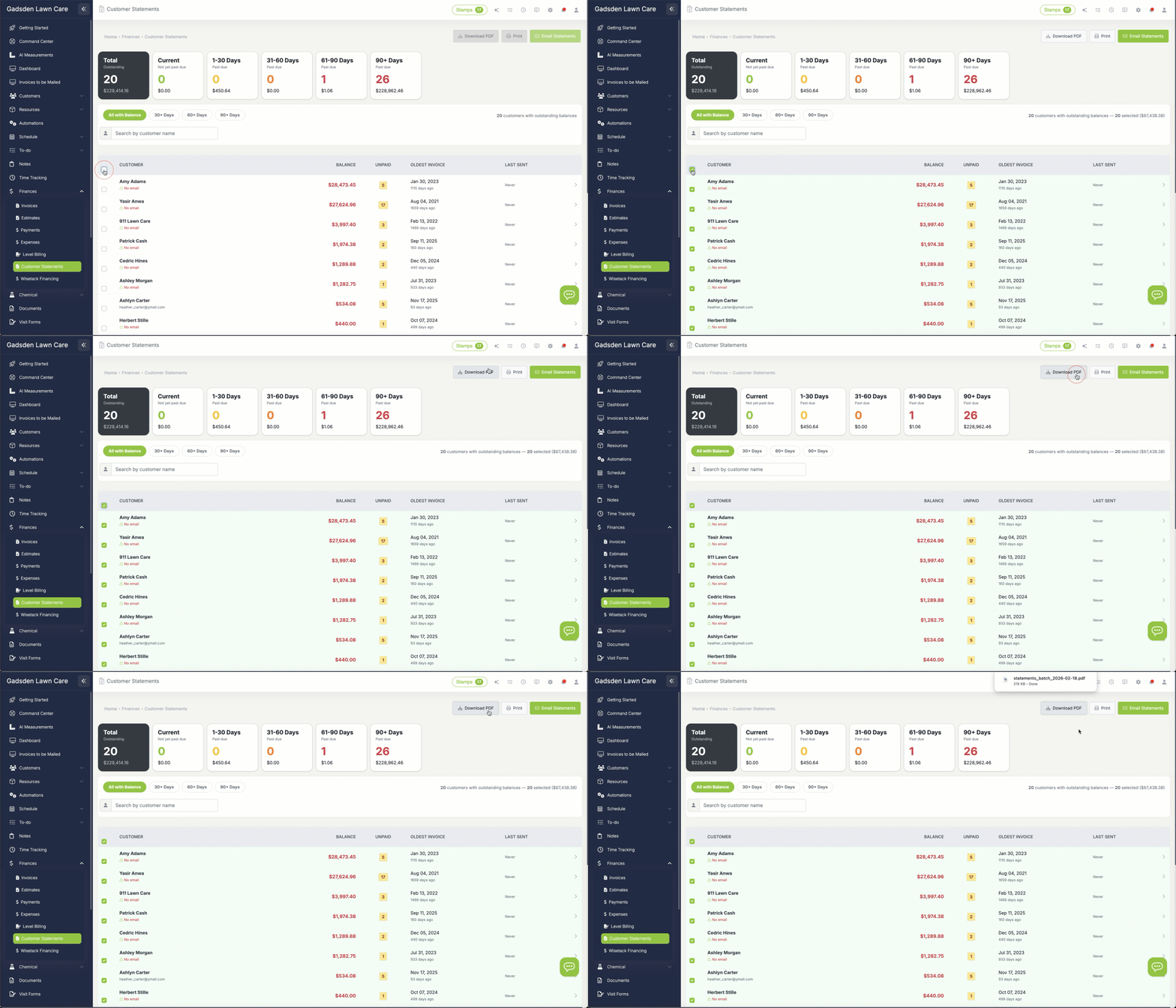
Need to send statements to everyone who's overdue? Select customers with the checkboxes—or click the header checkbox to select all—and hit Email Statements. LawnPro sends each customer their own personalized statement with their transactions and balance.
The workflow is fast: filter to 30+ Days, select all, click Email Statements, done. A progress modal shows you the send status and confirms when everything is complete. You can also batch-download PDFs or batch-print for customers who prefer paper.
Customers without an email on file are flagged with a warning icon so you know exactly who can't receive electronic statements.
Send History
Full audit trail of every statement sent
Below the customer list, the Recent Batch Sends section logs every batch you've sent: how many customers, which method (email, print, PDF), which aging filter was applied, who sent it, and when.
Inside the customer detail panel, each customer also has their own Send History—showing every statement they've received, the date range it covered, the total due at the time, and who sent it. You'll never have to wonder "did we already send them a statement this month?"