Text Messaging
Text customers. Get replies. Stay organized.
Send and receive texts with customers inside LawnPro—appointment reminders, updates, and quick replies all in one place. No more juggling your personal phone, missed messages, or lost conversations.
40,000+ service businesses trust LawnPro
|
4.8 / 5 based on 7,531 reviews
Stop losing customers to slow communication
Your customers don't check email the way they used to. They're on their phones all day—and they expect quick, easy communication from the businesses they hire. When a customer texts you a question and doesn't hear back for hours (or at all), they start looking for someone else. When you send an invoice by email and it sits unopened for a week, your cash flow suffers.
LawnPro's 2-way text messaging puts every conversation in one place—right inside the customer's profile. Send appointment reminders, "on my way" alerts, invoice links, and follow-ups via SMS. When your customer replies, you see it instantly in LawnPro—not buried in a group chat on your personal phone.
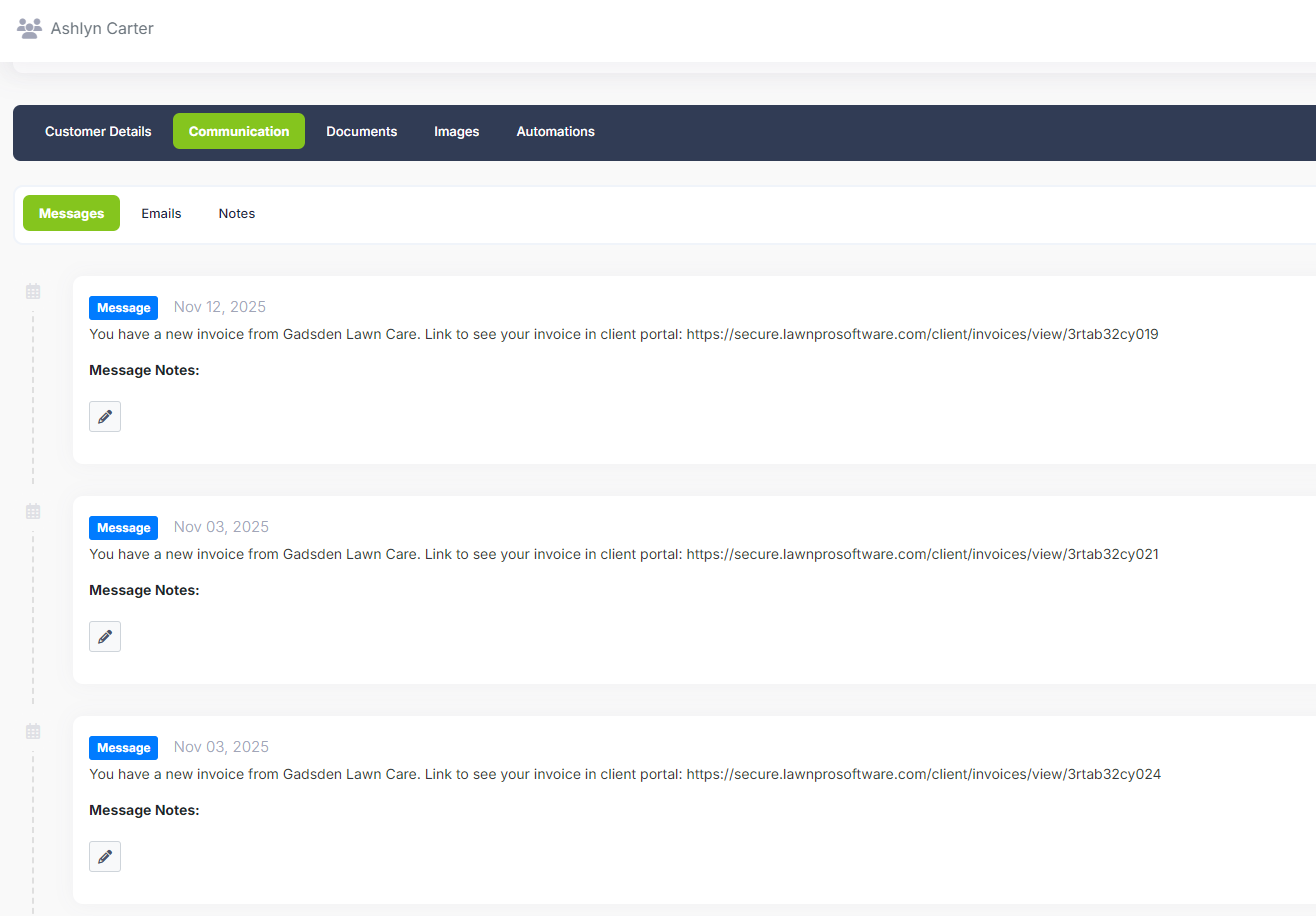
Every message is tied to a customer record, so your whole team has context. No more asking "did anyone text Mrs. Johnson back?" or scrolling through your personal texts trying to find that address a customer sent you last Tuesday. It's all in LawnPro, searchable, organized, and accessible from the office or the field.
How text messaging works in LawnPro
From quick replies to automated reminders, texting in LawnPro covers every touchpoint.
Real conversations, right inside LawnPro
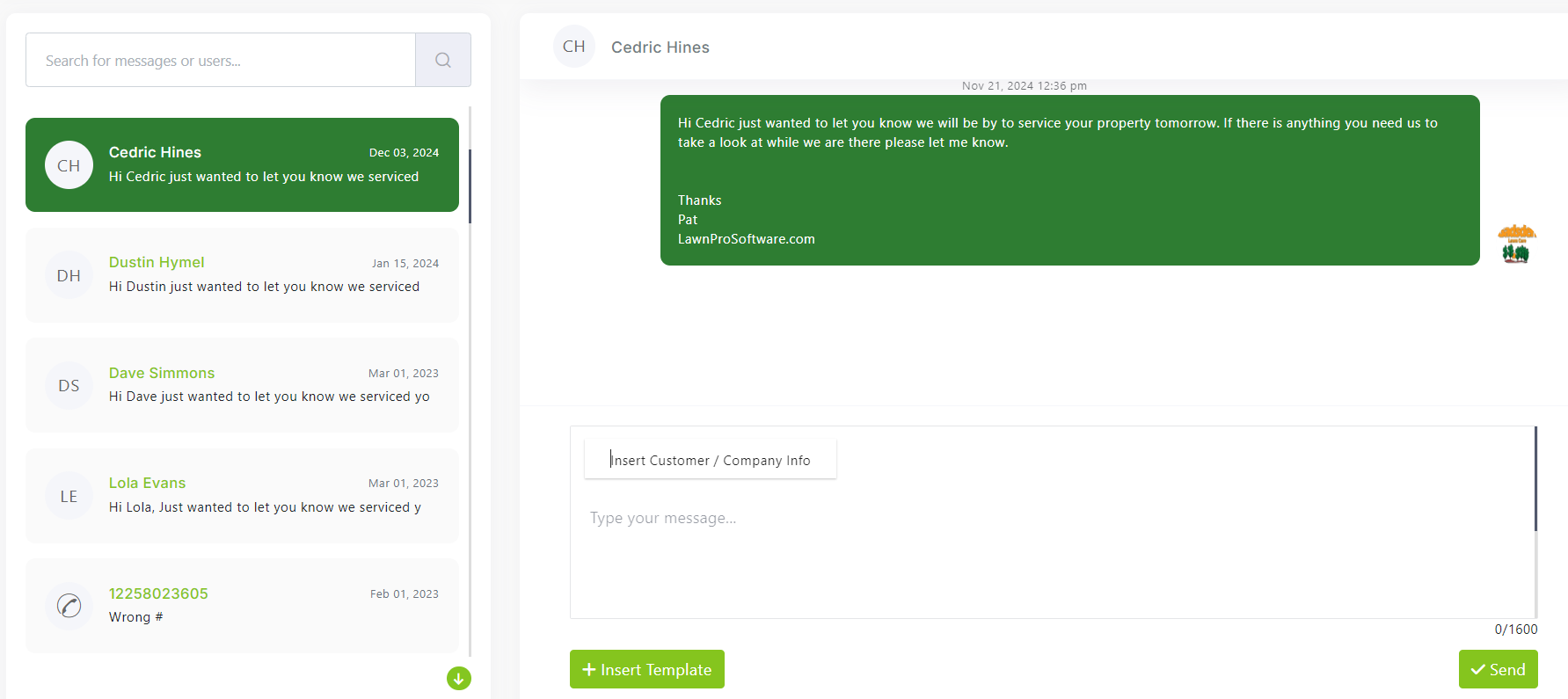
When you send a text from LawnPro, it goes out as a real SMS from a dedicated business number—not your personal cell. When the customer replies, their response appears directly in their customer profile under the Messages tab.
You can see the full conversation history with timestamps, who on your team sent each message, and any attachments. If a crew member texted a customer on Monday and you need to follow up on Thursday, you have complete context without asking anyone what was said.
Messages are accessible from the web app and the mobile app, so whether you're at your desk or sitting in your truck between jobs, you can pick up exactly where the conversation left off.
Automated reminders and on-my-way alerts
Set up automatic text notifications so customers always know what's happening. Send appointment reminders the day before or morning of a visit, "on my way" messages when your crew is heading out, and job completion confirmations when the work is done.
Pair text notifications with Workflow Automations to trigger messages based on events—like automatically texting a customer when their visit is marked complete, or sending a follow-up 24 hours after service asking them to leave a review.
Every automated text can be customized with merge fields that pull in customer names, service dates, crew member names, and invoice amounts. Messages feel personal even though they're sent automatically.
Send invoices and estimates by SMS
Email open rates for invoices hover around 60%—but text messages get read within minutes. When you send an invoice or estimate via text, customers get a direct link to view and pay (or approve) right from their phone.
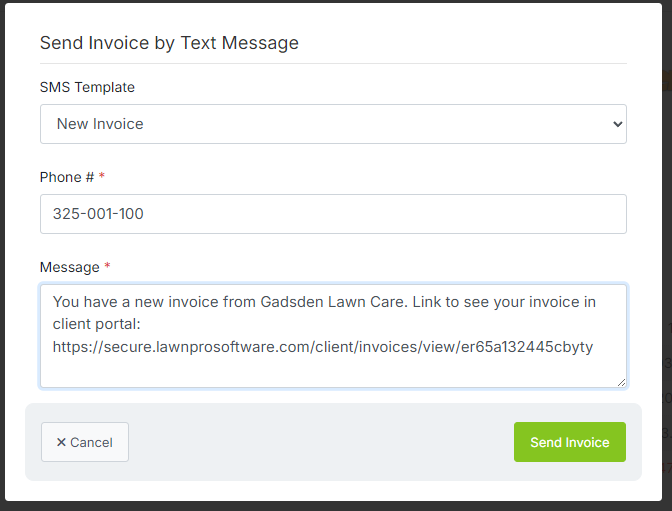
From any invoice or estimate, click the SMS send button. LawnPro pre-fills the message with a link to the document in the Customer Portal. The customer taps the link, reviews the details, and can pay with a saved card or enter a new one—all without downloading an app or creating an account.
For businesses that rely on fast estimate approvals to book work, texting estimates can dramatically shorten your sales cycle. Instead of waiting days for an email reply, customers often approve within minutes.
Save time with reusable templates
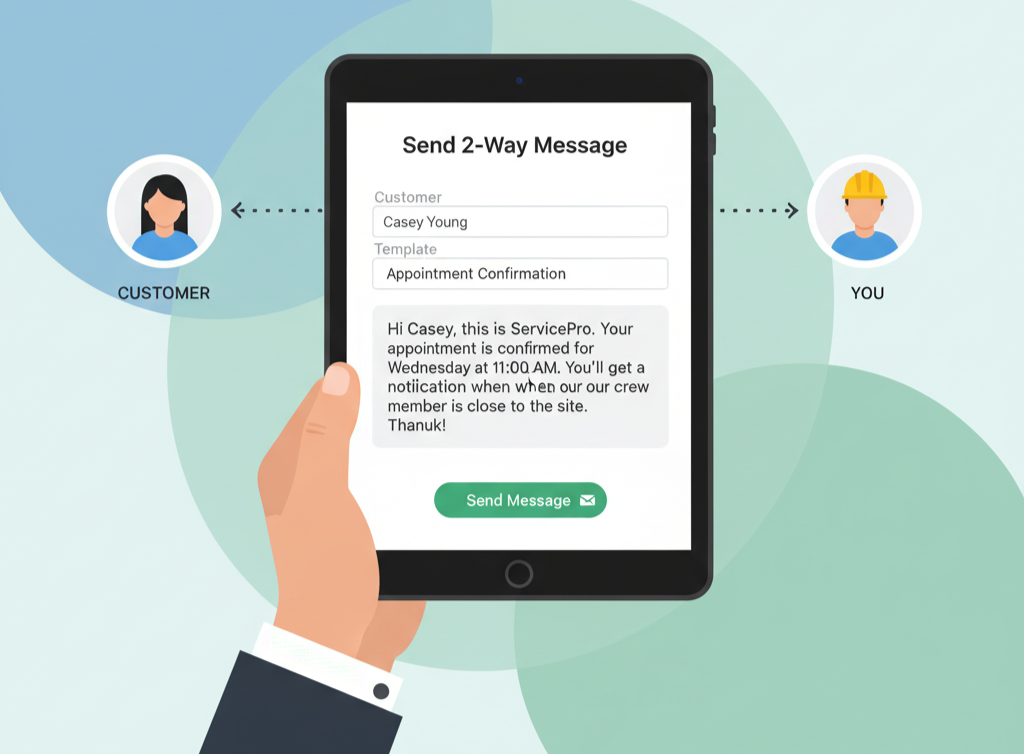
You send the same types of messages over and over—appointment confirmations, rain delay notices, "gate was locked" notes. Instead of typing them from scratch every time, create SMS templates with placeholder variables that auto-fill customer details.
When you're ready to send, select a template, review the auto-filled message, make any tweaks, and hit send. What used to take 2 minutes per customer now takes 10 seconds. For a business texting 30 customers a day, that's an hour saved.
Templates also ensure consistent communication across your team. Every crew member sends the same professional message—no typos, no missing details, no off-brand language.
Why field service pros love texting in LawnPro
Get paid faster
Invoices sent by text get opened and paid significantly faster than email. Customers tap a link, review, and pay—all from their phone in under a minute.
Fewer phone calls
When customers can text you questions and get quick replies, they stop calling. Your team spends less time on the phone and more time in the field.
Keep personal numbers private
All messages go through a dedicated business number. Your crew's personal phone numbers stay private, and conversations stay in LawnPro—not on someone's personal phone.
Whole team has context
Every message is tied to the customer record. Anyone on your team can pick up a conversation without asking "what did we tell them?"
Reduce no-shows
Automated appointment reminders by text ensure customers know when you're coming. Fewer locked gates, fewer "I forgot you were coming today" surprises.
Faster estimate approvals
Text an estimate link and get approvals in minutes instead of days. Customers review on their phone and approve with a tap—no email digging required.
Pick the best plan for your business
2-Way Text Messaging is available on the Plus plan or as an add-on for any plan. Start with a free trial—no credit card required.
View Pricing
Ready to start texting your customers?
Join 40,000+ field service businesses who use LawnPro to manage their daily operations.
Start Free Trial
Learn More
Dive deeper into LawnPro text messaging with these help articles and guides.
Getting Started with Text Messaging
Learn how to enable 2-way texting, set up your business number, and send your first message.
Read Article
Sending Invoices & Estimates by SMS
Step-by-step instructions for texting invoice and estimate links directly to customers.
Read Article
SMS Best Practices & Compliance
Understand opt-in requirements, message limits, and best practices for business texting.
Read Article
Explore related features
Text messaging works hand-in-hand with these other LawnPro tools.
Workflow Automations
Trigger texts automatically based on events—job completion, appointment reminders, and follow-ups.
Invoicing
Create branded invoices and send payment links by text—get paid faster with one tap.
Customer CRM
Every text conversation lives inside the customer profile—full history, full context.
Scheduling
Pair appointment reminders with your schedule so customers always know when you're coming.
Client Portal
Customers click the link in your text and land directly in their portal to view and pay.
Estimates
Text estimate links for faster approvals—customers review and approve from their phone in seconds.